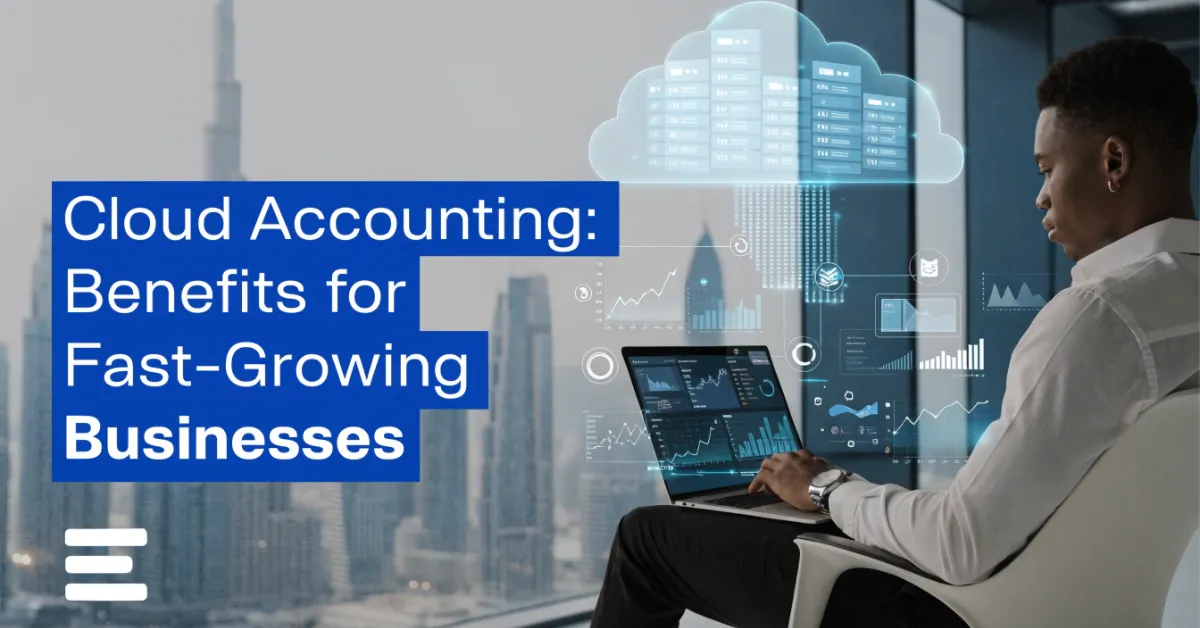
Cloud Accounting: Benefits for Fast-Growing Businesses
Z Zobia July 31, 2026 18 min read
Businesses today are expanding faster than ever, thanks to digital technology, online sales, and global markets. As operations grow, managing finances with traditional accounting methods often becomes time-consuming and inefficient. Manual bookkeeping, delayed financial reports, and limited access to accounting data can slow down decision-making and affect business performance. This is where Cloud Accounting becomes a valuable solution.
Cloud accounting allows businesses to manage their financial information securely through the internet. Instead of relying on software installed on a single computer, business owners, accountants, and finance teams can access real-time financial data from anywhere using a laptop, tablet, or smartphone. This flexibility helps businesses stay organized, improve collaboration, and make faster financial decisions.
What Is Cloud Accounting?
Cloud accounting is an online accounting system that stores financial data on secure cloud servers instead of a local computer or office network. Users can log in through a web browser or mobile application to manage bookkeeping, invoices, payroll, expenses, tax records, and financial reports in real time. Unlike traditional desktop accounting software, cloud accounting automatically updates software features, backs up financial data, and allows multiple authorized users to work on the same information simultaneously. This makes it easier for business owners, accountants, and financial advisors to collaborate without exchanging files manually.
Modern cloud accounting software combines accounting, reporting, automation, and financial management into one centralized platform. As a result, businesses spend less time on manual processes and more time focusing on growth.
How Cloud Accounting Works
A cloud-based accounting system connects your financial activities to an online platform. Every transaction, invoice, payment, and expense is securely stored and updated automatically.
Here’s how it typically works:
Financial data is stored securely on cloud servers.
Users log in through a secure internet connection.
Bank accounts and payment gateways sync automatically.
Transactions are recorded in real time.
Financial reports update instantly.
Data is backed up automatically to reduce the risk of data loss.
Software updates are installed automatically without manual intervention.
This real-time system ensures that business owners always have access to the latest financial information whenever they need it.
Cloud Accounting vs. Traditional Accounting
Although both systems perform the same core accounting functions, they differ significantly in how they operate.
Feature
Cloud Accounting
Traditional Accounting
Access
Available from anywhere with internet access
Limited to installed devices
Data Storage
Secure cloud servers
Local computer or office server
Software Updates
Automatic
Manual updates required
Collaboration
Multiple users can work simultaneously
Limited user access
Data Backup
Automatic
Manual backup needed
Scalability
Easily grows with the business
Often requires software upgrades
Traditional accounting systems may still work for very small businesses with simple financial needs. However, companies experiencing rapid growth usually require greater flexibility, automation, and accessibility, making online accounting software the better long-term solution.
Key Features of Cloud Accounting
Most modern cloud accounting platforms include features designed to simplify financial management.
These commonly include:
Real-time financial reporting
Automated bookkeeping
Online invoicing
Expense tracking
Bank reconciliation
Payroll management
Inventory tracking
Tax and VAT management
Multi-user access
Mobile accounting applications
Financial dashboards
Automated payment reminders
Secure document storage
Third-party software integrations
These features help businesses improve efficiency while reducing manual work and accounting errors.
Why Fast-Growing Businesses Need Cloud Accounting
Business growth brings exciting opportunities, but it also increases financial complexity. More customers, additional employees, expanding product lines, and multiple business locations create a higher volume of financial transactions that can quickly overwhelm manual accounting systems. Fast-growing businesses need accurate financial information to make informed decisions. Delayed reports or incomplete records can lead to budgeting errors, cash flow issues, compliance risks, and missed business opportunities.
Cloud accounting helps businesses manage this growth by providing instant access to reliable financial data and automating many repetitive accounting tasks.
Managing Increasing Financial Transactions
As businesses grow, they process more invoices, supplier payments, customer receipts, payroll transactions, and expense claims. Without automation, finance teams often spend excessive time entering data manually, increasing the likelihood of human errors. Cloud accounting software automatically records and categorizes many transactions, allowing finance teams to focus on financial planning and business analysis instead of routine data entry.
Supporting Multiple Business Locations
Many expanding companies open additional branches, warehouses, or offices in different cities or countries. With traditional accounting software, accessing financial information from multiple locations can be difficult. Cloud accounting provides centralized financial management where every authorized team member works on the same live financial records regardless of location. This improves consistency and reduces reporting delays.
Enabling Real-Time Financial Reporting
Growing businesses cannot afford to wait until the end of the month to understand their financial performance.
Real-time financial reporting allows business owners to monitor:
Revenue growth
Operating expenses
Cash flow
Outstanding invoices
Profit margins
Budget performance
Financial forecasts
Having instant access to these insights enables quicker and more informed business decisions.
Improving Collaboration Across Teams
Modern businesses often have finance teams working from different locations. External accountants, auditors, financial consultants, and business owners may all need access to financial records. Cloud accounting supports secure multi-user access, allowing authorized users to collaborate without sharing spreadsheets or emailing accounting files. Everyone works from the same up-to-date financial information, reducing confusion and improving productivity.
Helping Businesses Scale Efficiently
One of the biggest advantages of cloud accounting is scalability.
As a business grows, it can:
Add more users
Integrate new business applications
Manage additional bank accounts
Handle higher transaction volumes
Expand inventory management
Generate more advanced financial reports
Businesses can scale their accounting operations without replacing their entire accounting system, making cloud accounting a cost-effective long-term investment.
Supporting Better Decision-Making
Business growth depends on informed decisions backed by accurate financial data.
Cloud accounting provides business owners with clear financial dashboards, automated reports, and performance insights that help answer important questions such as:
Which products generate the highest profit?
Are expenses increasing faster than revenue?
Is cash flow healthy enough to support expansion?
Which customers pay late?
Where can operational costs be reduced?
Instead of relying on outdated reports, decision-makers can act quickly using current financial information.
For fast-growing businesses, this level of visibility creates a competitive advantage and supports sustainable growth.
Top Benefits of Cloud Accounting for Fast-Growing Businesses
As businesses expand, managing finances becomes more complex. Higher transaction volumes, growing teams, multiple revenue streams, and evolving compliance requirements demand a modern accounting solution that can keep pace with growth. A cloud accounting system helps businesses streamline financial management, improve efficiency, and make informed decisions based on real-time data.
Below are the key benefits that make cloud accounting an essential investment for fast-growing businesses.
Real-Time Financial Reporting
One of the biggest advantages of cloud accounting software is access to real-time financial information. Every transaction is recorded instantly, allowing business owners and finance teams to monitor financial performance without waiting for month-end reports.
Having up-to-date financial reports enables faster decision-making and helps businesses identify opportunities and challenges before they become major issues.
Access Financial Data Anytime, Anywhere
Modern businesses are no longer limited to a single office location. Teams often work remotely, travel for business, or manage operations across multiple locations. Cloud accounting allows authorized users to access financial information from any internet-connected device, including laptops, tablets, and smartphones.
This flexibility enables:
Remote bookkeeping
Mobile invoice approvals
Instant report access
Faster financial reviews
Better communication between teams
Whether you’re meeting clients, working from home, or managing multiple branches, your financial information is always available when you need it.
Better Cash Flow Management
Cash flow is one of the most important indicators of a business’s financial health. Even profitable companies can face operational challenges if they struggle to manage incoming and outgoing payments.
Many cloud accounting platforms also send automatic payment reminders to customers, helping businesses reduce late payments and improve collections. With better cash flow visibility, business owners can make smarter spending decisions and plan for future investments with confidence.
Improved Collaboration Between Teams
Growing businesses often involve multiple stakeholders in financial management, including business owners, finance managers, accountants, auditors, and external consultants. A cloud-based accounting system allows multiple users to work on the same financial records simultaneously while maintaining role-based access controls.
This improves collaboration by:
Eliminating duplicate files
Reducing version conflicts
Improving communication
Speeding up financial approvals
Keeping everyone aligned with the latest data
The result is greater productivity and fewer accounting errors.
Higher Data Security
Many business owners assume storing financial data on local computers is safer than using the cloud. In reality, reputable cloud accounting providers invest heavily in advanced security technologies.
Modern cloud accounting systems typically include:
Data encryption
Automatic backups
Multi-factor authentication
Secure user permissions
Continuous security monitoring
Disaster recovery systems
These features protect sensitive financial information from cyber threats, accidental deletion, hardware failures, and unauthorized access.
Automated Bookkeeping
Manual bookkeeping consumes valuable time and increases the risk of human error. Cloud accounting reduces repetitive work through automation.
Common automated tasks include:
Importing bank transactions
Categorizing expenses
Matching payments
Creating recurring invoices
Bank reconciliation
Recording recurring journal entries
By automating routine processes, finance teams can focus on financial planning, budgeting, and strategic business analysis rather than manual data entry.
Faster Invoicing and Payments
Getting paid quickly is essential for maintaining healthy cash flow.
Cloud accounting software simplifies invoice management by allowing businesses to:
Create professional invoices
Send invoices electronically
Schedule recurring invoices
Track payment status
Accept online payments
Send automatic payment reminders
These features reduce payment delays, improve customer experience, and increase operational efficiency.
Easier Tax Compliance
Tax regulations continue to evolve, making compliance a priority for every growing business.
Accurate financial records reduce the likelihood of reporting errors and simplify tax preparation throughout the year.
Scalability Without Major Costs
Business growth should not require replacing your accounting system every few years. Cloud accounting platforms are designed to scale alongside your business.
As your organization grows, you can easily:
Add new users
Increase transaction capacity
Connect additional business locations
Integrate new software
Expand reporting capabilities
Upgrade subscription plans
This scalability allows businesses to adapt to changing operational needs while controlling technology costs.
Traditional Accounting vs. Cloud Accounting
Choosing the right accounting system can significantly impact productivity, financial accuracy, and business growth. While traditional accounting software may still meet the needs of some small businesses, cloud accounting provides greater flexibility, automation, and accessibility for companies planning to expand.
Feature
Traditional Accounting
Cloud Accounting
Accessibility
Limited to office computers
Accessible from anywhere with internet access
Installation
Installed on local devices
Browser-based with no complex installation
Software Updates
Manual updates required
Automatic updates
Data Backup
Manual backups
Automatic cloud backups
Collaboration
Limited user access
Multiple users can work simultaneously
Financial Reporting
Often generated manually
Real-time financial reporting
Automation
Limited automation
Automated bookkeeping and workflows
Security
Depends on internal systems
Enterprise-level encryption and security
Scalability
May require expensive upgrades
Easily scales as the business grows
Integration
Limited third-party connections
Integrates with banking, payroll, CRM, and other business tools
For businesses focused on long-term growth, cloud accounting provides the flexibility and efficiency needed to support increasing financial demands.
Features to Look for in Cloud Accounting Software
Not every cloud accounting platform offers the same capabilities. Before selecting a solution, businesses should evaluate features that improve financial management, automation, collaboration, and long-term scalability.
Look for the following essential features:
Real-time financial dashboards to monitor business performance instantly.
Bank integration for automatic transaction imports and simplified reconciliation.
Automated bookkeeping to reduce manual data entry and improve accuracy.
Expense tracking for monitoring operational costs and employee reimbursements.
Invoice management to create, send, and track customer invoices efficiently.
Payroll management for handling employee salaries and deductions accurately.
Inventory management to monitor stock levels and product costs.
Tax and VAT compliance tools to simplify tax reporting and maintain accurate records.
Multi-user access with customizable user permissions for secure collaboration.
Mobile applications that allow business owners to manage finances while on the move.
Financial forecasting tools to support budgeting and future planning.
AI-powered reporting that provides valuable business insights and trend analysis.
Third-party integrations with CRM platforms, e-commerce stores, payment gateways, and ERP systems.
Automatic data backup and recovery to protect important financial information.
Customizable financial reports that provide insights tailored to your business needs.
Reliable customer support and training resources to ensure smooth implementation and ongoing assistance.
Selecting a cloud accounting solution with these features helps businesses improve efficiency, maintain accurate financial records, and support sustainable growth as operations continue to expand.
Industries That Benefit Most from Cloud Accounting
Cloud accounting is suitable for businesses of all sizes, but some industries benefit even more because they manage high transaction volumes, multiple locations, remote teams, or complex financial operations.
Startups
Startups need cost-effective accounting solutions that can grow with the business. Cloud accounting provides automated bookkeeping, real-time reporting, and financial forecasting without requiring significant upfront investment.
Small and Medium-Sized Enterprises (SMEs)
SMEs often have limited accounting resources. Cloud accounting helps streamline daily financial tasks, improve cash flow management, and generate accurate reports for better decision-making.
E-commerce Businesses
Online businesses process hundreds or even thousands of transactions daily. Cloud accounting integrates with payment gateways and e-commerce platforms, making it easier to track sales, inventory, refunds, and customer payments.
Retail Businesses
Retail companies benefit from inventory management, automated sales recording, expense tracking, and real-time profitability reports.
Manufacturing Companies
Manufacturers can monitor production costs, inventory levels, supplier payments, and operational expenses through a centralized cloud accounting system.
Construction Companies
Construction firms manage multiple projects simultaneously. Cloud accounting helps track project costs, contractor payments, budgets, and profitability for each project.
Healthcare Providers
Hospitals, clinics, and medical practices use cloud accounting to manage billing, payroll, vendor payments, and financial reporting while maintaining organized financial records.
Hospitality Businesses
Hotels, restaurants, and tourism companies benefit from automated invoicing, expense management, payroll processing, and real-time financial reporting.
Logistics and Transportation Companies
Transportation businesses can monitor operating expenses, fleet costs, fuel expenses, payroll, and customer invoices from a single platform.
Professional Service Firms
Consulting companies, legal firms, marketing agencies, and IT businesses can efficiently manage project billing, recurring invoices, employee expenses, and financial reporting through cloud accounting.
Common Challenges When Switching to Cloud Accounting
Although cloud accounting offers significant advantages, businesses may experience challenges during implementation. Proper planning helps ensure a smooth transition.
Data Migration
Moving financial records from spreadsheets or desktop accounting software can be complex if historical data is incomplete or inconsistent.
Solution: Review, clean, and organize financial records before migration, and verify all imported data after the transfer.
Employee Training
Employees may need time to become familiar with a new accounting platform.
Solution: Provide hands-on training, user guides, and ongoing support to improve confidence and productivity.
Choosing the Right Software
Selecting software without considering business requirements may lead to unnecessary costs or missing features.
Solution: Compare different cloud accounting solutions based on scalability, integrations, security, reporting capabilities, and customer support.
Internet Dependency
Cloud accounting requires a reliable internet connection for uninterrupted access.
Solution: Ensure stable internet connectivity and have backup internet options available for critical business operations.
Security Concerns
Some business owners worry about storing financial information online.
Solution: Choose trusted cloud accounting providers that offer encryption, automatic backups, multi-factor authentication, and compliance with recognized security standards.
Integration Challenges
Connecting accounting software with payroll systems, CRM platforms, inventory software, or banking services may require additional configuration.
Solution: Select software with built-in integrations or work with experienced implementation specialists to ensure seamless connectivity.
Best Practices for a Smooth Cloud Accounting Transition
Following proven implementation practices can help businesses maximize the benefits of cloud accounting while minimizing disruption.
Evaluate your current accounting processes before selecting software.
Choose a cloud accounting platform that supports future business growth.
Back up all financial records before migration.
Clean outdated or duplicate financial data.
Train employees before the new system goes live.
Enable multi-factor authentication for all users.
Connect business bank accounts for automated transaction imports.
Automate recurring invoices, payments, and bookkeeping tasks.
Define user roles and access permissions.
Review financial reports regularly to ensure data accuracy.
Monitor key financial performance indicators every month.
Schedule periodic system reviews to optimize accounting workflows.
Real-World Example: How Cloud Accounting Supports Business Growth
A growing wholesale distribution company relied on spreadsheets and desktop accounting software to manage its finances. As customer orders increased and new warehouse locations were added, the finance team struggled with delayed reporting, duplicate data entry, and frequent reconciliation errors.
The business implemented a cloud accounting solution that integrated with its banking platform, inventory management system, and invoicing software.
Within a few months, the company experienced measurable improvements:
Financial reports became available in real time.
Bank reconciliation time was significantly reduced.
Invoice processing became faster and more accurate.
Cash flow visibility improved through live financial dashboards.
Collaboration between finance staff and management became more efficient.
Accounting errors decreased because many routine tasks were automated.
With accurate financial information readily available, management was able to make faster business decisions and confidently support continued expansion.
Signs Your Business Is Ready for Cloud Accounting
If your business is experiencing any of the following situations, it may be time to move to a cloud-based accounting system.
Your revenue is growing rapidly.
Financial transactions continue to increase each month.
You have multiple offices or business locations.
Employees work remotely or travel frequently.
Monthly financial reporting takes too long.
Manual bookkeeping consumes excessive time.
Accounting errors occur regularly.
Cash flow is difficult to monitor.
You need better financial forecasting.
Your current accounting software no longer meets business requirements.
Collaboration between finance teams is inefficient.
You require secure access to financial data from anywhere.
Mistakes Businesses Should Avoid
Many businesses fail to maximize the benefits of cloud accounting because of avoidable implementation mistakes.
Avoid these common errors:
Choosing software based only on price rather than business needs.
Failing to define clear accounting processes before implementation.
Ignoring employee training.
Using weak passwords or sharing user credentials.
Not enabling multi-factor authentication.
Delaying software updates.
Failing to review financial reports regularly.
Skipping data backups before migration.
Ignoring software integrations with other business applications.
Not seeking professional guidance during implementation when needed.
Why Choose Ripple Accountants for Cloud Accounting Solutions?
Implementing cloud accounting successfully requires more than selecting the right software. Businesses also need expert guidance to ensure smooth migration, accurate financial management, and ongoing compliance. Ripple Accountants provides tailored cloud accounting solutions designed to support startups, SMEs, and established businesses at every stage of growth. From software implementation and bookkeeping to financial reporting, VAT compliance, corporate tax support, and ongoing accounting services, experienced professionals help businesses build efficient and scalable financial systems.
Whether you are migrating from traditional accounting software or implementing cloud accounting for the first time, Ripple Accountants offers practical support to simplify the transition and improve financial performance.
For professional assistance, contact Ripple Accountants at +971 50 593 8101, email info@uaetaxcompliance.ae, or WhatsApp +971 4 250 0833.
FAQ
What is cloud accounting?
Cloud accounting is an online accounting system that stores financial data securely on cloud servers, allowing authorized users to access financial information from anywhere with an internet connection.
How does cloud accounting work?
Financial transactions are recorded in an online platform that automatically updates reports, synchronizes bank transactions, and securely stores accounting records in real time.
Is cloud accounting secure?
Yes. Reputable cloud accounting providers use advanced encryption, automatic backups, multi-factor authentication, and strict access controls to protect financial data.
Is cloud accounting suitable for small businesses?
Absolutely. Small businesses benefit from automation, lower infrastructure costs, improved financial reporting, and scalable features that support future growth.
Can cloud accounting improve cash flow management?
Yes. Businesses can monitor incoming payments, outstanding invoices, expenses, and bank balances in real time, making it easier to manage cash flow effectively.
What are the biggest benefits of cloud accounting?
Some of the biggest advantages include real-time financial reporting, automated bookkeeping, secure data storage, remote access, improved collaboration, better cash flow management, and scalability.
Can cloud accounting integrate with other business software?
Yes. Most cloud accounting platforms integrate with payroll systems, CRM software, inventory management tools, payment gateways, and banking applications.
Is it difficult to switch from traditional accounting software?
The transition can be straightforward with proper planning, data preparation, employee training, and professional implementation support.
Conclusion
Cloud accounting has become an essential tool for fast-growing businesses that want to improve efficiency, maintain accurate financial records, and make informed decisions based on real-time data. From automated bookkeeping and secure data storage to improved collaboration and scalable financial management, cloud accounting helps businesses adapt to changing operational demands with confidence.
Disclaimer: This article is intended for general informational purposes only and should not be considered accounting, tax, financial, or legal advice. Businesses should consult qualified accounting professionals for guidance based on their specific circumstances.
Share
Free Consultation
Have a tax or accounting question?
Tell us a little about your business and our UAE tax experts will get back to you with clear, practical answers — no obligation.
0 Comments
No comments yet. Be the first to start the conversation.
Environmental, Social, and Governance (ESG) reporting has become a critical part of modern corporate reporting. Investors, regulators, customers, and financial institutions increasingly…
Businesses are under constant pressure to process financial data faster, reduce manual work, and improve accuracy. Traditional accounting methods often rely on…
Businesses are expanding beyond domestic markets more than ever before. Companies buy products from overseas suppliers, sell to international customers, receive payments…


0 Comments